Laman

Tampilkan postingan dengan label Operating System. Tampilkan semua postingan

Sabtu, 14 Mei 2011

Window XP New Edition Collection – XP SP3 Black Edition


image  W

indow XP, mungkin para sobat-sobat sekalian sudah tidak asing lagi dengan OS keluaran Microsoft ini. OS yang terkenal dengan ke-Compatibelitynya itu membuat OS XP ini seolah-olah menjadi salah satu OS terbaik yang dipunyai oleh Microsoft. Namun pernahkah anda merasa bahwa tampilan OS XP anda masih biasa-biasa saja??? Atau XP yang anda pakai masih SP lama???
Pada kesempatan kali ini, saya akan memperkenalkan Window XP seri modifikasi terbaru dengan bentuk dan sudah ber SP 3. Dengan dua versi yaitu XP SP3 Black Edition dan Windows SP3 XP Window 7 Edition. Saya berharap anda dapat lebih terbantu dengan artikel saya ini.
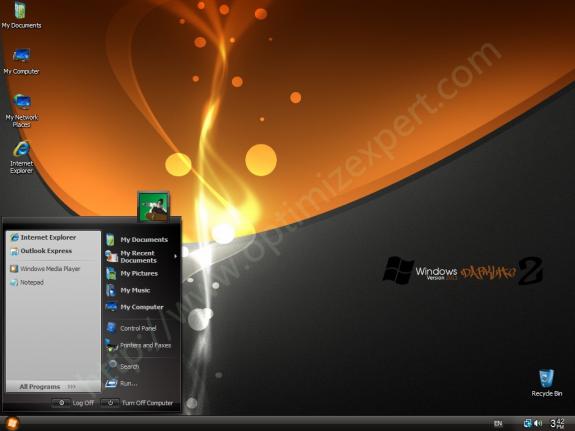
Berikut Preview OS-OS XP SP3 New Edition tersebut:
image
image
image
Download Server Rapidshare
   Download Link Disini

Sabtu, 07 Mei 2011

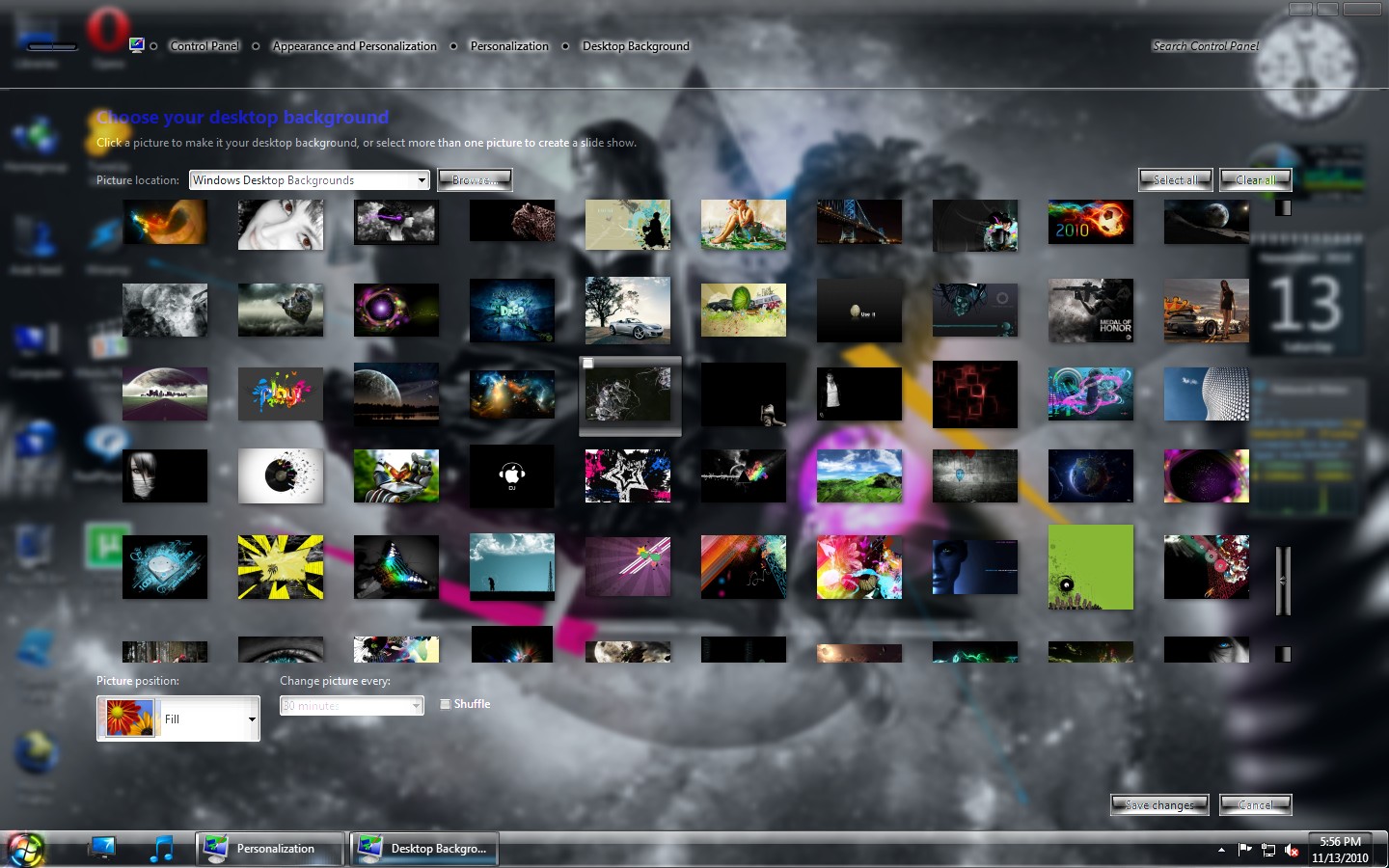
Windows 7 Enterprise Deep Ambition 2011


Windows 7 Enterprise Deep Ambition 2011 | 3.7 Gb

Platform: Windows
Compilation Date: 21.12.2010
Version: Based on Windows 7 Enterprise (x86)
Category : Operating System
Size: (32-bit : 3.06GB)
No of DVD s: 1
Image Format: ISO Image File
Installation Time : 15 Mins

WINDOWS ACTIVATION:
For Activation, Purchase a Genuine key directly from Microsoft.or use any of windows loader.

Note:
THIS IS NOT A PIRATED WINDOWS 7 OPERATING SYSTEM. (i.e NO PATCHES OR CRACKS OR KEYS INCLUDED IN THE DVD)

Minimum System Requirements:
512MB RAM for 32-bit (Recommended 1GB RAM) and 1GB RAM for 64-bit (Recommended 2GB RAM)
15 GB of HDD space
128 MB Graphics Memory (Capable to run Aero)
DVD-ROM or DVD-RAM
Pixel Shader 2.0
Dual Core Processors with 64 Bit OS Capable
. Active Internet Connection (For updates and Windows activation)

Note:
Start a fresh installation from the BIOS and install it in a separate partition. Format the selected drive for installation before proceeding the other steps. Dont try to install this Windows 7 Fire in Non-supportive Motherboards.

FEATURES AND OVERVIEW OF FIRE 32-BIT VERSION:
* New Windows Sounds
* 7-zip for extraction purpose.
* Adobe Flash Player plugin
* Adobe Flash Player ActiveX
* Opera Browser 10.61
* Registry boosted up
* More Stable and Reliable
* UAC Disabled
* New Shell Style for Windows Media Player
* New Shortcut Arrows
* New set of icons
* New Fire Theme
* Full Aero Background
* Turn ON or OFF Aero Background
* New set of Graphics drivers integrated
* New set of SATA drivers integrated
* New set of Audio drivers integrated
* Enabled all Windows Games
* Integrated some important drivers which is not present in untouched windows
* Added Registry control in Control panel
* Added My computer in Control panel
* Added user directory in Control panel
* Added Libraries in Control panel
* Added Windows switcher in Control panel
* Enabled Show Desktop in explorer context menu
* Added Network in Control panel
* Added Internet explorer in Control panel
* Added Group policy in Control panel
* Added Recycle Bin in Control panel
* Added User Account 2 in Control panel
* Enabled Font smoothing
* Enabled all desktop icons
* Enabled startpanel off
* Enabled show windows live
* Enabled Bluetooth taskbar icon
* Increased Menu display speed
* Screensaver time setout in 1 Min and default screensaver as Photscreensaver
* Enabled Lowlevel Hooks timeout
* Enabled hidden wallpapers and themes
* Enabled Welcome center
* Enabled Auto Endtask
* Enabled Administrative tools on start Menu
* Enabled Run on start menu
* Taskbar set to the mode combine when taskbar is full
* Power button action is set to shutdown
* Enabled Display on My computer
* Enabled Programes and Features on My computer
* Enabled Administrative Tools on My computer
* Enabled Backup and Restore on My computer
* Enabled Device Manager on My computer
* Enabled Windows Firewall on My computer
* Enabled Mobility Center on My computer
* Enabled Windows Update on My computer
* Enabled Search on My computer
* Enabled Regional Language on My computer
* Enabled NetWork and Sharing Center on My computer
* Enabled Run on My computer
* Enabled Folder Options on My computer
* Enabled Copy to, Move to, Grant Admin permission, Open with notepad, Open in New window, Disk cleanup, Defragment Analysis, Defragment this drive,
* Enabled Register and unregister DLL
* Added Device Manager, Cascading Menu shorcuts, God mode, Group policy, MS-config, services, Registry editor in my computer context menu
* Shows Hidden files, Folders and operating system files
* Shows hidden drives with no media
* Shows file extensions
* Disabled Windows defender
* Disabled low disk space warning
* Enabled powerdown after shutdown
* Command window text color set to Red
* Enabled Autorestart in the even of BSOD
* Shows search on start menu
* Disabled beep sound
* Enabled maximum speed for mouse pointer
* Enabled UXtheme patch
* Minimized number of recent items to display in jump list to 10
* Enabled Avalon effects
* Enabled Windows dreamscenes
* Enabled slow motion windows effects
* Enabled thick window frame
* Enabled IE phishing filter
* Disabled background sound in IE
* Default search page as Google
* Enabled save session history of IE
* Enabled use of cleartype
* Enabled maximum number of downloads to 20
* Disabled welcome page
* DirectX updated upto June 2010
* Mozilla Firefox
* VLC Media player
* CCleaner
* Added Easy shorcuts for desktop context menu
* FIX: Misrepresent a system action or behavior without user knowledge
* FIX: Remote Attacker Denial of Service
* Resolved Issues caused by daylight saving time
* Support Secure Digital (SD) cards larger than 32 GB
* Resolved issues with non-compatible applications
* RT Registry tweaker Features:
(Unlock taskbar, use small icons, Disable Aero peek, Disable Aero snap, Disable Minimize animations, Disable taskbar animations, Add all kind of shortcuts to my computer, Disable Hibernation, Diskable Windows updates, Disable Windows firewall and other many useful tweaks from RT Registry tweaker)
Download Here :
http://www.multiupload.com/AZNQ9JOJYD
http://www.multiupload.com/6H0W3Y3OIT
http://www.multiupload.com/2A1774AC0J
http://www.multiupload.com/IQAB4T284F
http://www.multiupload.com/9DZSUTNYZO
http://www.multiupload.com/XDAB3Y1VFX
http://www.multiupload.com/J7P4VCZ7OL
http://www.multiupload.com/74AYF9JK98
http://www.multiupload.com/63IHO2KZ0Y
http://www.multiupload.com/OSGRCKKO4X
http://www.multiupload.com/UHSOWMNCZ8

Window XP New Edition Collection – XP SP3 Black Edition


image Window XP, mungkin para sobat-sobat sekalian sudah tidak asing lagi dengan OS keluaran Microsoft ini. OS yang terkenal dengan ke-Compatibelitynya itu membuat OS XP ini seolah-olah menjadi salah satu OS terbaik yang dipunyai oleh Microsoft. Namun pernahkah anda merasa bahwa tampilan OS XP anda masih biasa-biasa saja??? Atau XP yang anda pakai masih SP lama???
Pada kesempatan kali ini, saya akan memperkenalkan Window XP seri modifikasi terbaru dengan bentuk dan sudah ber SP 3. Dengan dua versi yaitu XP SP3 Black Edition dan Windows SP3 XP Window 7 Edition. Saya berharap anda dapat lebih terbantu dengan artikel saya ini.
Berikut Preview OS-OS XP SP3 New Edition tersebut:
image
image
image
Download Server Rapidshare
http://rapidshare.com/files/171921792/3_Windows.Xp.Pro.SP3.Black.Edition.2008.part7.rar
http://rapidshare.com/files/171994511/3_Windows.Xp.Pro.SP3.Black.Edition.2008.part6.rar
http://rapidshare.com/files/171985709/3_Windows.Xp.Pro.SP3.Black.Edition.2008.part5.rar
http://rapidshare.com/files/171977452/3_Windows.Xp.Pro.SP3.Black.Edition.2008.part4.rar
http://rapidshare.com/files/171970013/3_Windows.Xp.Pro.SP3.Black.Edition.2008.part3.rar
http://rapidshare.com/files/171962734/3_Windows.Xp.Pro.SP3.Black.Edition.2008.part2.rar
http://rapidshare.com/files/171932404/3_Windows.Xp.Pro.SP3.Black.Edition.2008.part1.rar

Windows XP SP3 Fantastic Edition v2 2011

Windows XP SP3 Fantastic Edition v2 2011 | 701 Mb
You do not need to use cracks and stuff, install and use if you have a licensed copy. This so-called "student" copy of XP, it is used for educational purposes and therefore it is designed for multiple installation without further contact with black-list Windows Genuine Advantage. This version of Windows XP SP3 does not require activation and is the official validation of Microsoft.

Windows 7 Eternity Edition

Windows 7 Eternity Edition | 4.03 Gb
Build on the basis of ofinalnogo image of Windows 7 Build 7600 from the team Rockers International Team with the integration of EG LP .
Year: 2010
Version: Windows Seven Eternity Edition
Developer: Microsoft / RT
Platform: x86/x64
Language: English, Russian
Tablet: there
Activator inside

Features of Windows Seven Eternity Edition:
* New Windows Sounds
* 7-zip for extraction purpose.
* All the latest updates are patched Manually.
* Adobe Flash Player plugin
* Rocket Dock
* Black Background Shells
* Codings and scripts are updated from previous Ultimate Versions (This option is available only in Rockers Team Customized windows and not available in any other customized OS)
* More Stable and Reliable
* UAC Disabled
* New Look for Windows Media Player
* New Shortcut Arrows
* Show extensions for known file types
* Enabled IE Phishing Filter
* User *** 2 on Control Panel
* Low Memory consumption
* Enabled Glass Effect without a supported card
* Windows will tell you exactly what it is doing when it is shutting down or is booting
* Added command prompt to right click context menu
* Enabled addition Avalon effects
* Disabled Tool Tips
* Enabled ClearType Tuning
* Added Copy to Folder, Move to Folder, Open with Notepad to right click context
* Disabled Windows Media Player AutoUpdates
* Menu bars and window frames opaque
* Enabled slow-motion window effects
* Added "Advanced System Properties" in my Computer
* Added Control Panel to my Computer
* Faster browsing with IE
* DEP execution is set to Default
* Disabled the NTFS Last Access Time Stamp
* Disabled kernel paging
* Both 32 and 64 Bit Integrated
* All Latest Drivers Integrated
* 7-zip for extraction purpose.
* Adobe Flash Player plugin
* Adobe Flash Player ActiveX
* Orbit Downloader
* K-Lite Mega Codec Pack
* ImgBurn
* Notepad 5.1 + +
* CCleaner
* Added Group policy and Registry editor to control panel
* Updated DirectX to August 2009
* Mozilla Firefox
* Low Memory consumption
* Turned off system beeps
* Stopped caching negative responses
* Take Ownership, Device manager, Group policy, Registry Editor in the right click
* Fully Automated setup you need to choose language and partition only.
* Patched uxtheme files to use 3rd party themes.
* Faster Shutdown (3 seconds services kill timeout.)
* Fast Booting Time
* Add User***s 2 on ControlPanel.
* PowerOff after shutdown
* New High quality Icons
* Changed command line text color to white
* Set mouse pointer speed to maximum
* Removed the annoying clicking sound
* Disabled automatic restart in the event of a blue screen
* Tweaked up shell response
* Hibernation is Disabled.
* Added "Advanced System Properties" in my Computer
* Added Control Panel to my Computer
* Added Administrative Tools to my Computer
* Added Internet Explorer to my Computer
* Added Network Connections to my Computer
* Added Search to my Computer
* Added Printers to my Computer
* Added Run and Windows Flip Switcher to my Computer
* Removed warning about showing hidden system folders
* Shutdown when you click power Button on start Menu
* Maximum simultaneous downloads for IE to 20 (default is 2)
* New look for Windows Media Center
* New Explorer View
* Allow renaming and removing of Recycle Bin
* Makes a right click option for unknown files
* Notepad saves window position
* Opens 16-bit apps in a separate memory space. This increases stability when dealing with 16-bit apps.
* Enabled Word wrap in Notepad
* Enabled Status Bar in all windows
* ATI and NVIDIA Drivers Added
* New Themes
* 255 Sidebar Gadgets
* Enabled search system folders in Search
* System Files are boosted upto maximum Performance
* Removed Old Default Graphics card drivers
* Faster Application load Time
* Improved the performance and reliability
* Disabled the NTFS Last Access Time Stamp
* Disabled kernel paging
* Windows Update service disabled
* Turned off system beeps
* Stopped caching negative responses
* Take Ownership, Device manager, Group policy, Registry Editor in the right click
* Specifies the time, following user input, during which the system keeps apps from moving into the foreground
Processor: 1 Ghz x86/x64
RAM: 512 MB or above
Disk space: 12 GB
VIDEO: DirectX 9 graphics and 128 MB of memory (for the theme Aero)
Download Here :
Download Here
Windows 7 Eternity Edition Size | 4.03 Gb

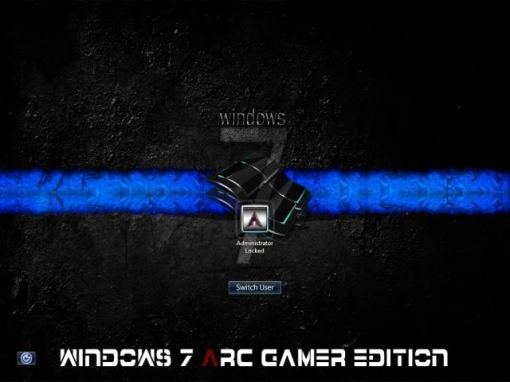
Windows 7 ARC Gamer Edition

Windows 7 ARC Gamer Edition | 1.85 Gb
ARC v/s Gamer edition:
- NEW START ORB
- NEW BOOT SCREEN
- NEW INSTALL SCREEN
- NEW LOG ON SCREEN
- NEW SHELL STYLE
- NEW LOGO
- SMALLER AND FASTER THAN ARC
- UPDATED TILL 5TH MAY’10
- NEW WALLPAPERS
- GAMER EDITION IS ACTIVATED FOR EVER

Application Installed:
- 7-Zip
- Adobe Flash Player ActiveX
- Winrar
- Java
- Microangelo on display
-Acrobat Reader
-shutter

Apa yang baru ?
*This modded OS is a fully unattended install!
*It has been streamlined & optimized for you, the user!
*All new system tweaks that will bring you a faster install!
*Quicker Boot Times!
*A snappy desktop!

Components Removed:

Accessories:
Accessibility
Character Map
Mobility Center
Speech Support
Welcome Center

Languages:
Arabic
Brazillian
Bulgarian
Croatian
Czech
Danish
Dutch
Estonian
Finnish
French
German
Greek
Hebrew
Hungarian
Italian
Japanese
Korean
Latvian
Lithuanian
Norwegian
Polish
Portuguese
Romanian
Russian
Serbian
Simplified Chinese
Slovak
Slovenian
Spanish
Swedish
Table Driven Text Input Processor
Thai
Traditional Chinese
Turkish
Ukrainian
Welcome Center

Multimedia:
Media Center

Services:
Error Reporting
Quality Windows Audio Video Experience

System:
Natural Language
Reliability and Performance Monitor
Tablet PC

Options:
DEP (Data Execution Prevention) = Disabled (AlwaysOff)
User *** Control (UAC) = Disabled
AntiSpyware Realtime Protection = Disabled
AutoPlay = Enabled
Paging Executive = Disabled
Power scheme = High performance
Power button = Shutdown
Sleep button = Enabled
Control Panel – Classic View = Enabled
Show hidden files and folders = Yes
Show protected operating system files = No
Show extensions for known file types = Yes
IE Phishing Filter = Disabled
IE Phishing Verification Ballon Tips = Disabled

[Services]
AXINSTSV = Disabled
ADPBRIT = Disabled
ALG = Disabled
BITDES = Disabled
BLUESVC = Disabled
BRANDC = Disabled
CERTPROPSVC = Disabled
CREMANAG = Disabled
DPS = Disabled
DSH = Disabled
DSH = Disabled
DLTC = Disabled
EFS = Disabled
FAX = Disabled
FDPHOST = Disabled
HKMSVC = Disabled
HOMEGROUPLISTENER = Disabled
HOMEGROUPPROVIDER = Disabled
HIDA = Disabled
ISD = Disabled
ICS = Disabled
IPHLPSVC = Disabled
LINKTDM = Disabled
MiSCSI = Disabled
NETPSS = Disabled
NETLOGON = Disabled
NAPA = Disabled
OFFLF = Disabled
PEERNRP = Disabled
PEERNG = Disabled
PEERNIM = Disabled
PNPIP = Disabled
PNRPSVC = Disabled
PDES = Disabled
REMOTDC = Disabled
REMOTEDS = Disabled
REMOTEDSUP = Disabled
REMOTEREGISTRY = Disabled
ROUTACC= Disabled
SCARDSVR = Disabled
SCPOLICYSVC = Disabled
SNMP = Disabled
WEVC = Disabled
WBIOSRVC = Disabled
WCARDSVC = Disabled
WCOLSYS = Disabled
WCONECT = Disabled
WINDEFEND = Disabled
WMPNETWORKSVC = Disabled
WREMOTEM= Disabled
WSEARCH = Disabled
WINHTTPWP = Disabled

Tweaks:
Programs and Features to right click
change wallpaper to right click
Task manager to right click
Take Ownership of any File or Directory
Show file extensions
“Command Prompt” when you right click a folder
“Device Manager” to the right click menu of “Computer”
“Services” to the right click menu of “Computer”
“Edit Registry” to the right click menu of “Computer”
“MSCONFIG” to the right click menu of “Computer”
Notepad as a Right Click Item
Disable Default Hidden Shares – This keeps Windows from creating the Admin$, C$, etc. shares (which are security holes) automatically on start-up.
Open any folder on your computer in a new window
All items have an “edit..” on right-click sending to notepad
Register / unregister to the context menu for .ocx files
Register / unregister to the context menu for .dll files
Right click option for unknown files (Open with notepad)
New CMD file to right click > New
Open NFO files with notepad
Restore previous folder windows at logon
Stops the ‘Welcome Center’ loading (for current user) when Windows starts
Disable User ***s Control (UAC)
Disable Automatic Updates (not the ability to update – just disables the automatic background updates and balloon tips)
‘Copy to Folder’ and ‘Move to Folder’ to right click
And Many more Tweaks

Download Here :Download Here

Windows 7 Fire Edition

Windows 7 Fire Edition | 2.95 Gb
Platform: Windows
Compilation Date: 21.10.2010
Version: Based on Windows 7 Professional
Size: (32-bit : 3.06GB)
DVD :: ISO :: bootable
Installation Time : 10 Mins
Minimum System Requirements :
512MB RAM for 32-bit (Recommended 1GB RAM) and
15 GB of HDD space
128 MB Graphics Memory (Capable to run Aero)
DVD-ROM or DVD-RAM
Pixel Shader 2.0
What is New :-
* New Windows Sounds
* 7-zip for extraction purpose.
* Adobe Flash Player plugin
* Adobe Flash Player ActiveX
* Opera Browser 10.61
* Registry boosted up
* More Stable and Reliable
* UAC Disabled
* New Shell Style for Windows Media Player
* New Shortcut Arrows
* New set of icons
* New Fire Theme
* Full Aero Background
* Turn ON or OFF Aero Background
* New set of Graphics drivers integrated
* New set of SATA drivers integrated
* New set of Audio drivers integrated
* Enabled all Windows Games
* Integrated some important drivers which is not present in untouched windows
* Added Registry control in Control panel
* Added My computer in Control panel
* Added user directory in Control panel
* Added Libraries in Control panel
* Added Windows switcher in Control panel
* Enabled Show Desktop in explorer context menu
* Added Network in Control panel
* Added Internet explorer in Control panel
* Added Group policy in Control panel
* Added Recycle Bin in Control panel
* Added User Account 2 in Control panel
* Enabled Font smoothing
* Enabled all desktop icons
* Enabled startpanel off
* Enabled show windows live
* Enabled Bluetooth taskbar icon
* Increased Menu display speed
* Screensaver time setout in 1 Min and default screensaver as Photscreensaver
* Enabled Lowlevel Hooks timeout
* Enabled hidden wallpapers and themes
* Enabled Welcome center
* Enabled Auto Endtask
* Enabled Administrative tools on start Menu
* Enabled Run on start menu
* Taskbar set to the mode – combine when taskbar is full
* Power button action is set to shutdown
* Enabled Display on My computer
* Enabled Programes and Features on My computer
* Enabled Administrative Tools on My computer
* Enabled Backup and Restore on My computer
* Enabled Device Manager on My computer
* Enabled Windows Firewall on My computer
* Enabled Mobility Center on My computer
* Enabled Windows Update on My computer
* Enabled Search on My computer
* Enabled Regional Language on My computer
* Enabled NetWork and Sharing Center on My computer
* Enabled Run on My computer
* Enabled Folder Options on My computer
* Enabled Copy to, Move to, Grant Admin permission, Open with notepad, Open in New window, Disk cleanup, Defragment Analysis, Defragment this drive,
* Enabled Register and unregister DLL
* Added Device Manager, Cascading Menu shorcuts, God mode, Group policy, MS-config, services, Registry editor in my computer context menu
* Shows Hidden files, Folders and operating system files
* Shows hidden drives with no media
* Shows file extensions
* Disabled Windows defender
* Disabled low disk space warning
* Enabled powerdown after shutdown
* Command window text color set to Red
* Enabled Autorestart in the even of BSOD
* Shows search on start menu
* Disabled beep sound
* Enabled maximum speed for mouse pointer
* Enabled UXtheme patch
* Minimized number of recent items to display in jump list to 10
* Enabled Avalon effects
* Enabled Windows dreamscenes
* Enabled slow motion windows effects
* Enabled thick window frame
* Enabled IE phishing filter
* Disabled background sound in IE
* Default search page as Google
* Enabled save session history of IE
* Enabled use of cleartype
* Enabled maximum number of downloads to 20
* Disabled welcome page
* DirectX updated upto June 2010
* Mozilla Firefox
* VLC Media player
* CCleaner
* Added Easy shorcuts for desktop context menu
* FIX: Misrepresent a system action or behavior without user knowledge
* FIX: Remote Attacker Denial of Service
* Resolved Issues caused by daylight saving time
* Support Secure Digital (SD) cards larger than 32 GB
* Resolved issues with non-compatible applications
* RT Registry tweaker Features:
(Unlock taskbar, use small icons, Disable Aero peek, Disable Aero snap, Disable Minimize animations, Disable taskbar animations, Add all kind of shortcuts to my computer, Disable Hibernation, Diskable Windows updates, Disable Windows firewall and other many useful tweaks from RT Registry tweaker)
Download Here :

Windows 7 Enterprise Deep Ambition 2011


Windows 7 Enterprise Deep Ambition 2011

Windows 7 Enterprise Deep Ambition 2011 | 3.7 Gb

Platform: Windows
Compilation Date: 21.12.2010
Version: Based on Windows 7 Enterprise (x86)
Category : Operating System
Size: (32-bit : 3.06GB)
No of DVD s: 1
Image Format: ISO Image File
Installation Time : 15 Mins

WINDOWS ACTIVATION:
For Activation, Purchase a Genuine key directly from Microsoft.or use any of windows loader.

Note:
THIS IS NOT A PIRATED WINDOWS 7 OPERATING SYSTEM. (i.e NO PATCHES OR CRACKS OR KEYS INCLUDED IN THE DVD)

Minimum System Requirements:
512MB RAM for 32-bit (Recommended 1GB RAM) and 1GB RAM for 64-bit (Recommended 2GB RAM)
15 GB of HDD space
128 MB Graphics Memory (Capable to run Aero)
DVD-ROM or DVD-RAM
Pixel Shader 2.0
Dual Core Processors with 64 Bit OS Capable
. Active Internet Connection (For updates and Windows activation)

Note:
Start a fresh installation from the BIOS and install it in a separate partition. Format the selected drive for installation before proceeding the other steps. Dont try to install this Windows 7 Fire in Non-supportive Motherboards.

FEATURES AND OVERVIEW OF FIRE 32-BIT VERSION:
* New Windows Sounds
* 7-zip for extraction purpose.
* Adobe Flash Player plugin
* Adobe Flash Player ActiveX
* Opera Browser 10.61
* Registry boosted up
* More Stable and Reliable
* UAC Disabled
* New Shell Style for Windows Media Player
* New Shortcut Arrows
* New set of icons
* New Fire Theme
* Full Aero Background
* Turn ON or OFF Aero Background
* New set of Graphics drivers integrated
* New set of SATA drivers integrated
* New set of Audio drivers integrated
* Enabled all Windows Games
* Integrated some important drivers which is not present in untouched windows
* Added Registry control in Control panel
* Added My computer in Control panel
* Added user directory in Control panel
* Added Libraries in Control panel
* Added Windows switcher in Control panel
* Enabled Show Desktop in explorer context menu
* Added Network in Control panel
* Added Internet explorer in Control panel
* Added Group policy in Control panel
* Added Recycle Bin in Control panel
* Added User Account 2 in Control panel
* Enabled Font smoothing
* Enabled all desktop icons
* Enabled startpanel off
* Enabled show windows live
* Enabled Bluetooth taskbar icon
* Increased Menu display speed
* Screensaver time setout in 1 Min and default screensaver as Photscreensaver
* Enabled Lowlevel Hooks timeout
* Enabled hidden wallpapers and themes
* Enabled Welcome center
* Enabled Auto Endtask
* Enabled Administrative tools on start Menu
* Enabled Run on start menu
* Taskbar set to the mode combine when taskbar is full
* Power button action is set to shutdown
* Enabled Display on My computer
* Enabled Programes and Features on My computer
* Enabled Administrative Tools on My computer
* Enabled Backup and Restore on My computer
* Enabled Device Manager on My computer
* Enabled Windows Firewall on My computer
* Enabled Mobility Center on My computer
* Enabled Windows Update on My computer
* Enabled Search on My computer
* Enabled Regional Language on My computer
* Enabled NetWork and Sharing Center on My computer
* Enabled Run on My computer
* Enabled Folder Options on My computer
* Enabled Copy to, Move to, Grant Admin permission, Open with notepad, Open in New window, Disk cleanup, Defragment Analysis, Defragment this drive,
* Enabled Register and unregister DLL
* Added Device Manager, Cascading Menu shorcuts, God mode, Group policy, MS-config, services, Registry editor in my computer context menu
* Shows Hidden files, Folders and operating system files
* Shows hidden drives with no media
* Shows file extensions
* Disabled Windows defender
* Disabled low disk space warning
* Enabled powerdown after shutdown
* Command window text color set to Red
* Enabled Autorestart in the even of BSOD
* Shows search on start menu
* Disabled beep sound
* Enabled maximum speed for mouse pointer
* Enabled UXtheme patch
* Minimized number of recent items to display in jump list to 10
* Enabled Avalon effects
* Enabled Windows dreamscenes
* Enabled slow motion windows effects
* Enabled thick window frame
* Enabled IE phishing filter
* Disabled background sound in IE
* Default search page as Google
* Enabled save session history of IE
* Enabled use of cleartype
* Enabled maximum number of downloads to 20
* Disabled welcome page
* DirectX updated upto June 2010
* Mozilla Firefox
* VLC Media player
* CCleaner
* Added Easy shorcuts for desktop context menu
* FIX: Misrepresent a system action or behavior without user knowledge
* FIX: Remote Attacker Denial of Service
* Resolved Issues caused by daylight saving time
* Support Secure Digital (SD) cards larger than 32 GB
* Resolved issues with non-compatible applications
* RT Registry tweaker Features:
(Unlock taskbar, use small icons, Disable Aero peek, Disable Aero snap, Disable Minimize animations, Disable taskbar animations, Add all kind of shortcuts to my computer, Disable Hibernation, Diskable Windows updates, Disable Windows firewall and other many useful tweaks from RT Registry tweaker)
Download Here :
http://www.multiupload.com/AZNQ9JOJYD
http://www.multiupload.com/6H0W3Y3OIT
http://www.multiupload.com/2A1774AC0J
http://www.multiupload.com/IQAB4T284F
http://www.multiupload.com/9DZSUTNYZO
http://www.multiupload.com/XDAB3Y1VFX
http://www.multiupload.com/J7P4VCZ7OL
http://www.multiupload.com/74AYF9JK98
http://www.multiupload.com/63IHO2KZ0Y
http://www.multiupload.com/OSGRCKKO4X
http://www.multiupload.com/UHSOWMNCZ8
 

Windows XP SP3 DarkLite Edition Version 2011

Windows XP SP3 DarkLite Edition Version 2011 | 511.39 Mb
Release Information :
The best XP OS in 2011 have all update at December have a
great graphic from "Catalog" designer Original,
updateable and activated no need serial , bootable ...

VIP Note :
The Develpoer made two versions:
* SATA Version (have all updates and SATA driver only)
* Driver Version (have all updates, SATA driver and all cheapest driver only)

This one here is SATA Version cuz its smaller (510 MB) and more faster than any other version.

Download Here :

Windows XP Pro SP3 Automated Install January 2011

Windows XP Pro SP3 Automated Install January 2011 | 431 Mb
CLEAN INSTALL IS A MUST...
Guaranteed to be the fastest edition of xp you have ever set hands on.Activated and up to date.

1. Fully Automated Install (just format and the cd will do the rest for you)
2. No desktop annoyances (firewall, windows updates, hibernation, system restore, security center and other unneeded services have all been TRASHED.
3. No installed software or start up items. You choose what you want


Windows XP SP3 (2011) v 11.02 Full


Windows XP SP3 (2011) v 11.02 Full

System: Windows XP Professional SP3 Original MSDN
Date: 20.01.2011
CD Key: D36RK-QDFFD-BTWWY-BT7KK-43MGM
Activation: Already activated
Install method: Unattended, Bootable, Fast
File format: ISO
Size: 697 MB
Free Space Needed in C: 3 GB
Additional Software Packages:
(Programs Can be Uninstalled from ‘Add/Remove Programs’)
7-Zip – File Compression Utility!
Adobe Acrobat Reader 9.0
Adobe Flash Player 10.2.161.23 – Latest Flash Player Update
Adobe Photoshop 6 Extended – Light weight, but Fully Functional Image Editor!
Atomic Clock – Synchronizes System Clock via Internet
Audacity – Free Audio Editor
Bandwidth Monitor – Monitor Internet Speed
BitLord 1.1 – Torrent Client
Clipboard Catcher – Monitor Clipboard
CDRoller – CD/DVD Recovery, Disk Image Viewer
Control Panel Addon- Clear Type Tuning
Control Panel Addon- DirectX
Control Panel Addon- Startup
Control Panel Addon- Tweak UI
CPU-Z – System Information
DevMan View – Device Manager
Disk Cleaner – Cleans Temporary Files, History
DriverMax – Backup & Restore Drivers!
DVD Shrink – Decrypt and Copy DVD Movies!
Empty Folder Finder
English Malayalam Dictionary
Essential Fonts Pack (with Indian Rupee Symbol)
Extra Themes (Enable Unsigned Themes with TuneUp Utilities > Styler)
Extra Wallpapers, Mouse Pointers
Fast File Finder
FastStone Image Viewer (Manual File Association Needed)
Font Expert – Font Viewer
Google Chrome – Ever Fast Browser! (v10.0 : Dec-2010)
Handy Recovery – File Recovery Tool
InfraRecorder – CD/DVD Buring Tool
Internet Download Manager – Download Manager
Internet Explorer v8.0 – Latest Update for XP!
IsoBuster – CD/DVD Recovery, Disk Image Viewer
Leap Office & ISM Malayalam – Malayalam Typing Tutor
Madhuri – Malayalam Typing
Microsoft RegClean – Registry Repair Tool
Mozilla Firefox 4.0 beta 9- Latest Browser!
Ninja 1.6 – Protection from USB Virus
PicPick – Image Editor with Screen capture!
Rainlendar – Desktop Calendar
Recuva – Data Recovery
Reg Tweaks – Some Registry Tweaks for XP!
ResHacker –Application Resource Viewer & Editor!
RocketDock – Desktop Dock!
ShortcutsMan – Repair Broken Startmenu Shortcuts
Sib Icon Editor – Free Icon Editor
SoftKey Revealer – View Registration Keys
TeraCopy – File Copying Utility
The KMPlayer v3.0 – All-in-One Media Player! (Manual File Association Needed. Press F2)
Torrent Search (Desktop Multi Search Engine)
Total Video Converter – Convert Any Video/Audio!
TuneUp Utilities 2007 – System Tweaking Tool
TweakUI XP – System Tweaking Tool
Unicode2ML – Malayalam Unicode Text to ASCII Text
USB Disk Ejector – Safely Remove USB Memory!
UX Theme Patched – Use Unsigned Themes!
uTorrent v2.2 – Torrent Client
Video Edit Master – Video Cutter & Joiner for mpg, avi
VLC Media Player – All-in-One Media Player!
What in Startup – Startup Organiser
Winamp – Music Player!
WinRAR – File Compression Utility!
Windows Media Player v11 – Latest Update!
WMouseXP Remote – Your Mobile Can be a Bluetooth PC Remote!
Youtube Downloader HD – Free Youtube Video Downloader

Installation:
1. Burn the ISO with ImgBurn / Nero or other Burning Tools.
2. Boot From CD.
3. Press a key when asked.
4. After some time You need to Select Partition to Install. (Fresh Installation Recommended, Use First Partition, C:
5. Format it or use without formatting.
6. Thus the Setup Begins.
7. Remove CD only after Full Applications Installation.
8. After Installation Competed, Reboot Computer.


Part 1

Part 2

Part 3

Part 4

Password : world4free.in